01 / OVERVIEW
See the work move
Timeline, Backlog, List, and board-aware Active sprints or Board views make flow, blockers, stale work, and ownership visible at a glance.
lazyjira brings the board, backlog, triage signals, and issue inspector into one keyboard-first terminal workspace.
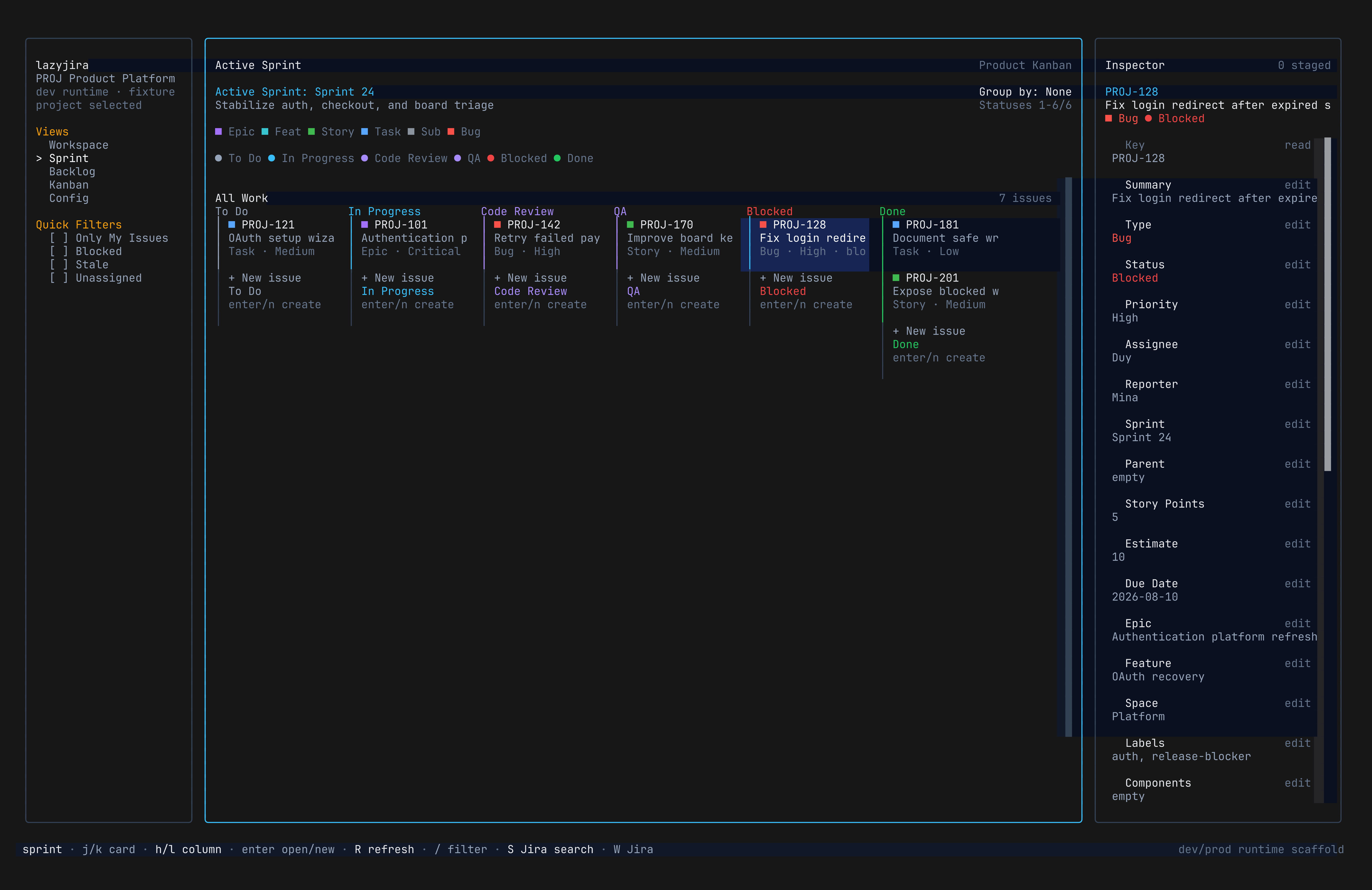
Timeline, Backlog, List, and board-aware Active sprints or Board views make flow, blockers, stale work, and ownership visible at a glance.
Inspect the selected issue without leaving the board. Open rich detail only when the work calls for it.
Use lazy and vim muscle memory for navigation, filtering, assignment, transitions, and daily triage.
Use an Atlassian API token to connect your Jira site. Development mode works with bundled fixture data and needs no credentials.
$ npm install -g @bojackduy/lazyjira
$ lazyjira auth login
$ lazyjira